練習問題6-5-1
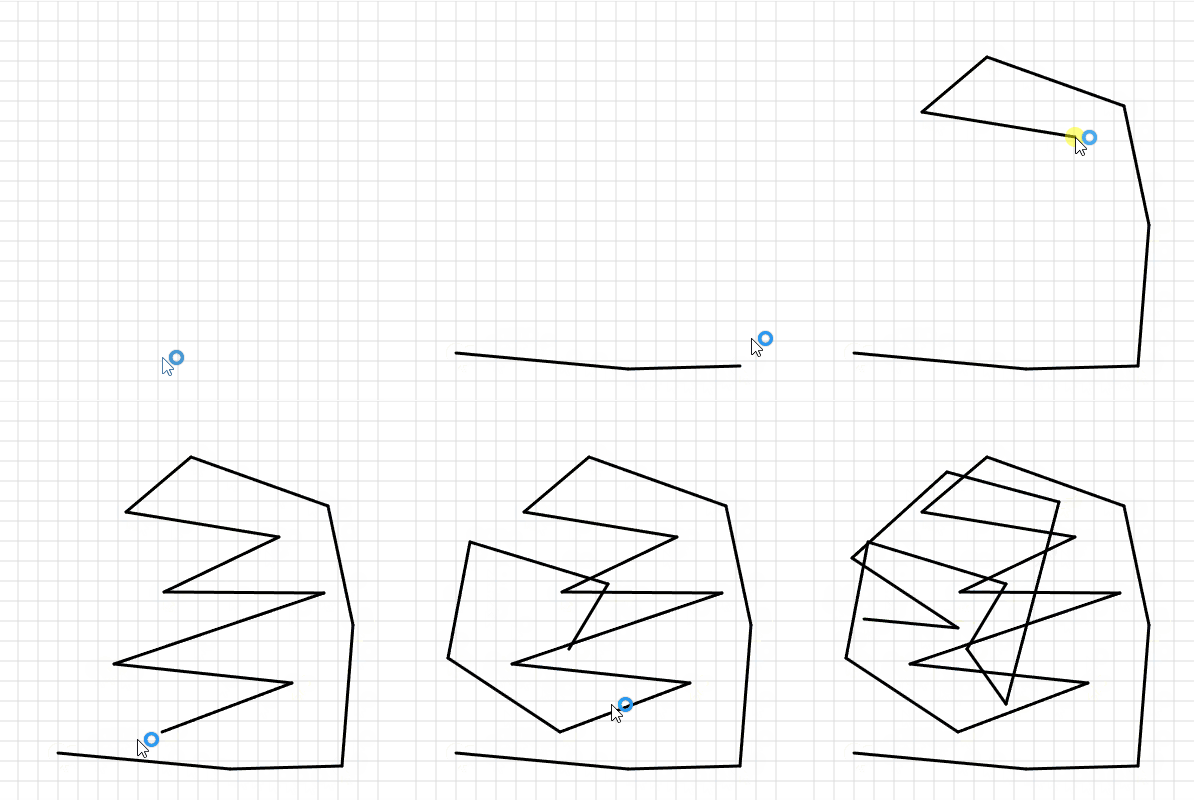
06-04 の練習問題6-4-4 を参考に、星の代わりに 線だけ を描く土台を作りましょう。
練習問題を進めるうちに機能を足していくので、機能ごとに 関数 に分けて作ります。6-5-1 では drawGrid(方眼)と drawPaths(直線)です。
let pointX = [];
let pointY = [];

function setup() {
  createCanvas(400, 400);
}

function draw() {
  background(255);
  drawGrid();   // 方眼の背景
  drawPaths();  // 確定した線
}

function drawGrid() {
  stroke(220);
  strokeWeight(1);
  for(let x=0; x<width; x+=20){
    line(x, 0, x, height)
  }
  for(let y=0; y<height; y+=20){
    line(0, y, width, y)
  }
}

function drawPaths() {
  stroke(0);
  strokeWeight(3);
  for(let i=0; i<pointX.length-1; i++){
    line(pointX[i], pointY[i], pointX[i+1], pointY[i+1])
  }
}

function mousePressed() {
  if(mouseButton===LEFT){
    pointX.push(mouseX);
    pointY.push(mouseY);
  }
}
練習問題6-5-2
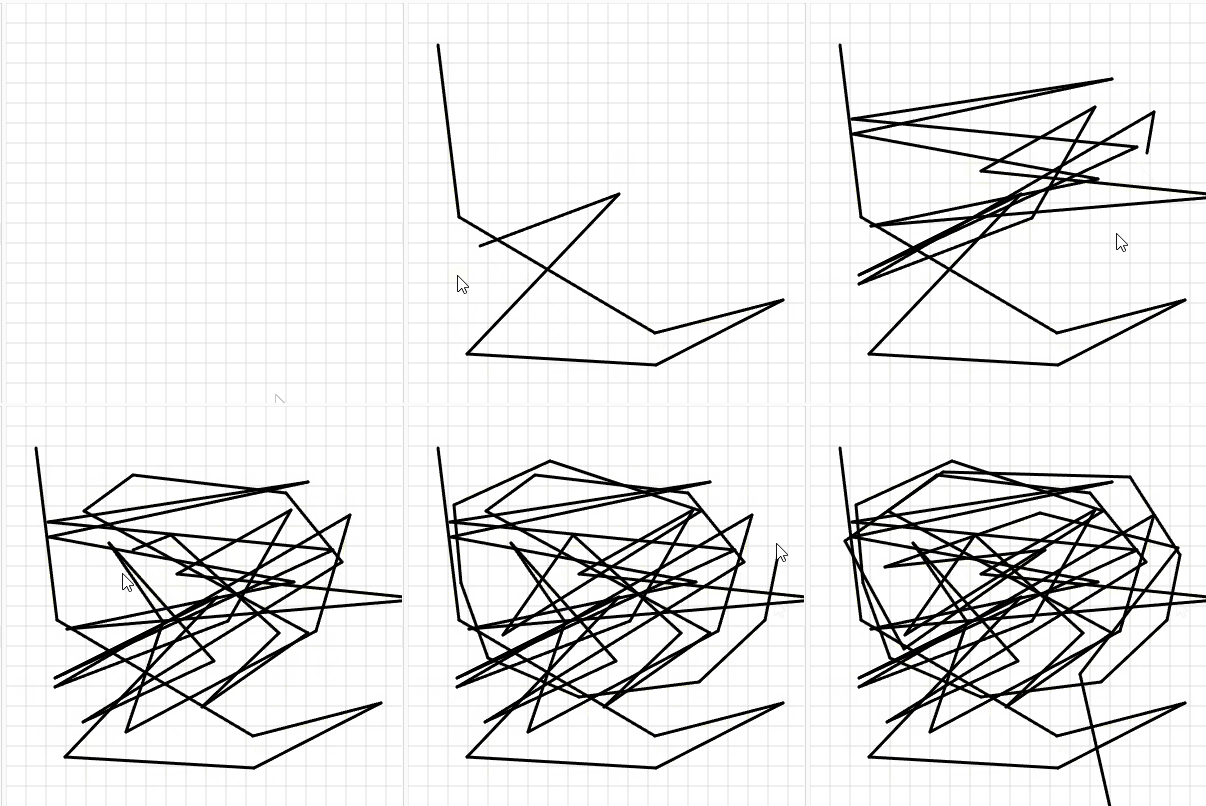
練習問題6-5-1 では、クリックしたあとでないと線が見えませんでした。
6-5-2 では drawPreview(プレビュー線)を追加します。
- 点が 1つ以上 あるとき、最後の点から
mouseXとmouseYへプレビュー線を引く drawの中からdrawPreviewを呼び出す
let pointX = [];
let pointY = [];

function setup() {
  createCanvas(400, 400);
}

function draw() {
  background(255);
  drawGrid();   // 方眼の背景
  drawPaths();  // 確定した線
  drawPreview()
}

function drawGrid() {
  stroke(220);
  strokeWeight(1);
  for(let x=0; x<width; x+=20){
    line(x, 0, x, height)
  }
  for(let y=0; y<height; y+=20){
    line(0, y, width, y)
  }
}

function drawPaths() {
  stroke(0);
  strokeWeight(3);
  for(let i=0; i<pointX.length-1; i++){
    line(pointX[i], pointY[i], pointX[i+1], pointY[i+1])
  }
}

function mousePressed() {
  if(mouseButton===LEFT){
    pointX.push(mouseX);
    pointY.push(mouseY);
  }
}
function drawPreview(){
  if(pointX.length>=1){
    line(pointX[pointX.length-1], pointY[pointY.length-1], mouseX,mouseY)
  }
}
練習問題6-5-3
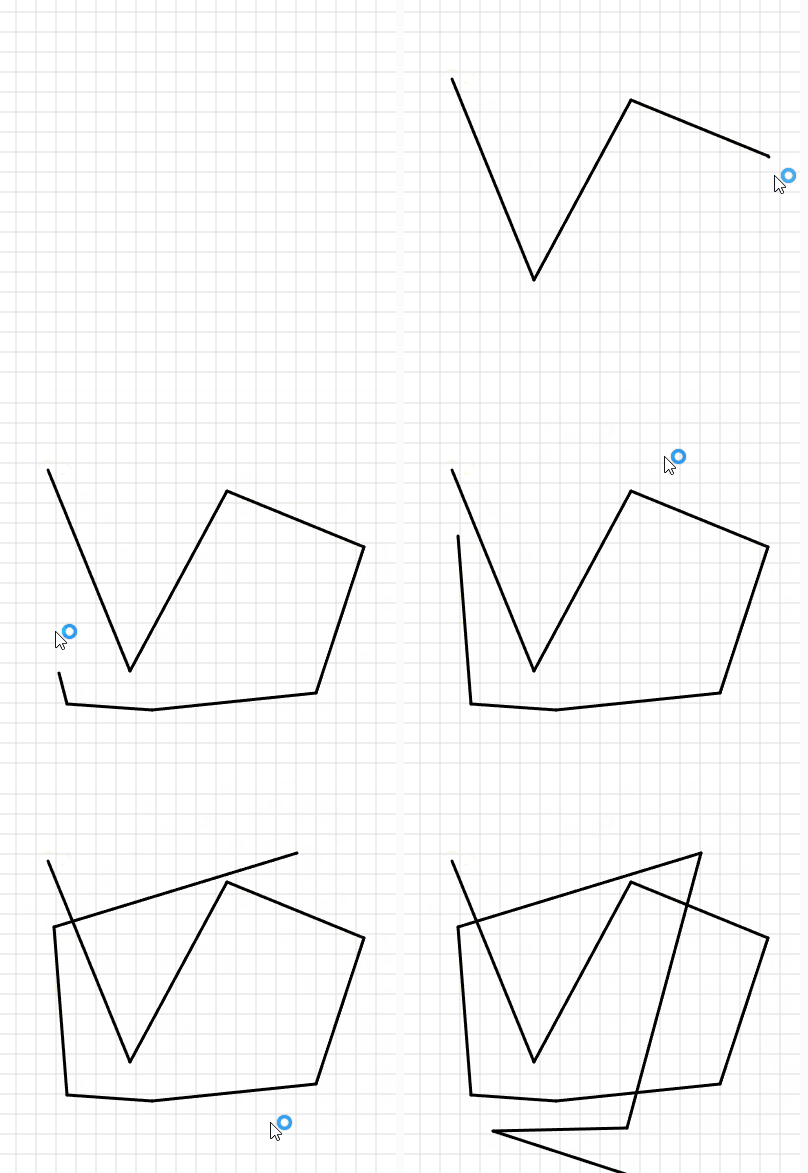
練習問題6-5-2 のままだと、絵を描き終えても、最後の点からマウスへ プレビュー線が出続けます。
プレビューを止める仕組みを追加しましょう。
6-5-3 では drawPreview にプレビュー停止の機能を足します。
let canvas;
let pointX = [];
let pointY = [];
let isDrawing = false;

function setup() {
  canvas = createCanvas(400, 400);
  canvas.elt.addEventListener("contextmenu", function (e) {e.preventDefault();});
}

function draw() {
  background(255);
  drawGrid();
  drawPaths();
  drawPreview();
}

function drawGrid() {
  stroke(220);
  strokeWeight(1);
  for(let x=0; x<width; x+=20){
    line(x, 0, x, height)
  }
  for(let y=0; y<height; y+=20){
    line(0, y, width, y)
  }
}

function drawPaths() {
  stroke(0);
  strokeWeight(3);
  for(let i=0; i<pointX.length-1; i++){
    line(pointX[i], pointY[i], pointX[i+1], pointY[i+1])
  }
}

function drawPreview() {
  if(isDrawing){
    if(pointX.length>=1){
      line(pointX[pointX.length-1], pointY[pointY.length-1], mouseX,mouseY)
    }
  }
}

function mousePressed() {
  if (mouseButton === LEFT) {
    pointX.push(mouseX);
    pointY.push(mouseY);
    isDrawing = true
  } else if (mouseButton === RIGHT) {
    isDrawing = false
  }
}
trueとfalseのおさらいになってよかったです。
練習問題6-5-4
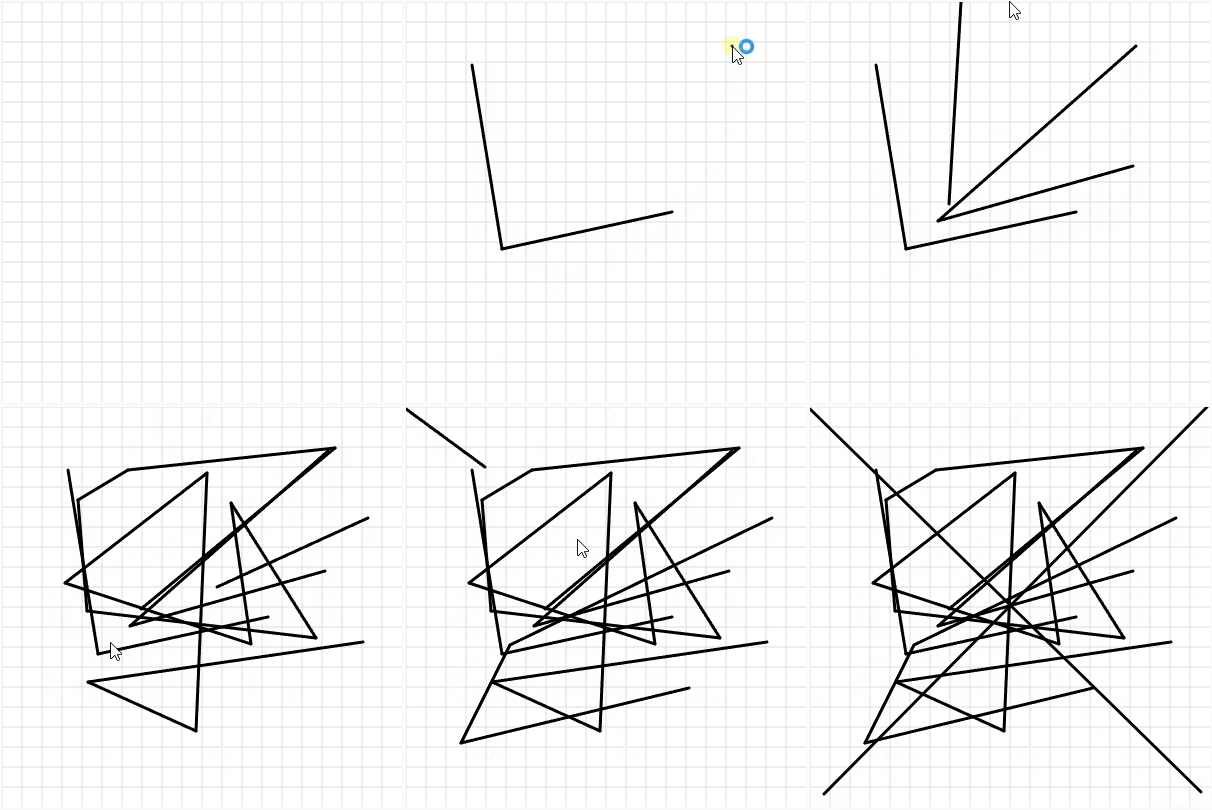
これまで置いた点はずっと線でつながっていました(一筆書き)。そのため文字の「A」のように、途中で線を切る形は描けませんでした。
6-5-4 では、線の 切れ目 を pointX と pointY に -1 で記録し、線を切れるようにします。-1 は座標ではなく、切れ目のしるし です。
let canvas;
let pointX = [];
let pointY = [];
let isDrawing = false;

function setup() {
  canvas = createCanvas(400, 400);
  canvas.elt.addEventListener("contextmenu", function (e) {e.preventDefault();});
}

function draw() {
  background(255);
  drawGrid();
  drawPaths();
  drawPreview();
}

function drawGrid() {
  stroke(220);
  strokeWeight(1);
  for(let x=0; x<width; x+=20){
    line(x, 0, x, height)
  }
  for(let y=0; y<height; y+=20){
    line(0, y, width, y)
  }
}

function drawPaths() {
  stroke(0);
  strokeWeight(3);
  for (let i = 0; i < pointX.length - 1; i++) {
    if (pointX[i+1]!==-1&&pointX[i]!==-1) {
        line(pointX[i], pointY[i], pointX[i + 1], pointY[i + 1]);
    }
  }
}

function drawPreview() {
  if(isDrawing){
    if(pointX.length>=1){
      line(pointX[pointX.length-1], pointY[pointY.length-1], mouseX,mouseY)
    }
  }
}

function mousePressed() {
  if (mouseButton === LEFT) {
    pointX.push(mouseX);
    pointY.push(mouseY);
    isDrawing = true
  } else if (mouseButton === RIGHT) {
    pointX.push(-1)
    pointY.push(-1)
    isDrawing = false;
  }
}
AIに頼りすぎていないかがとても心配です。
練習問題6-5-5
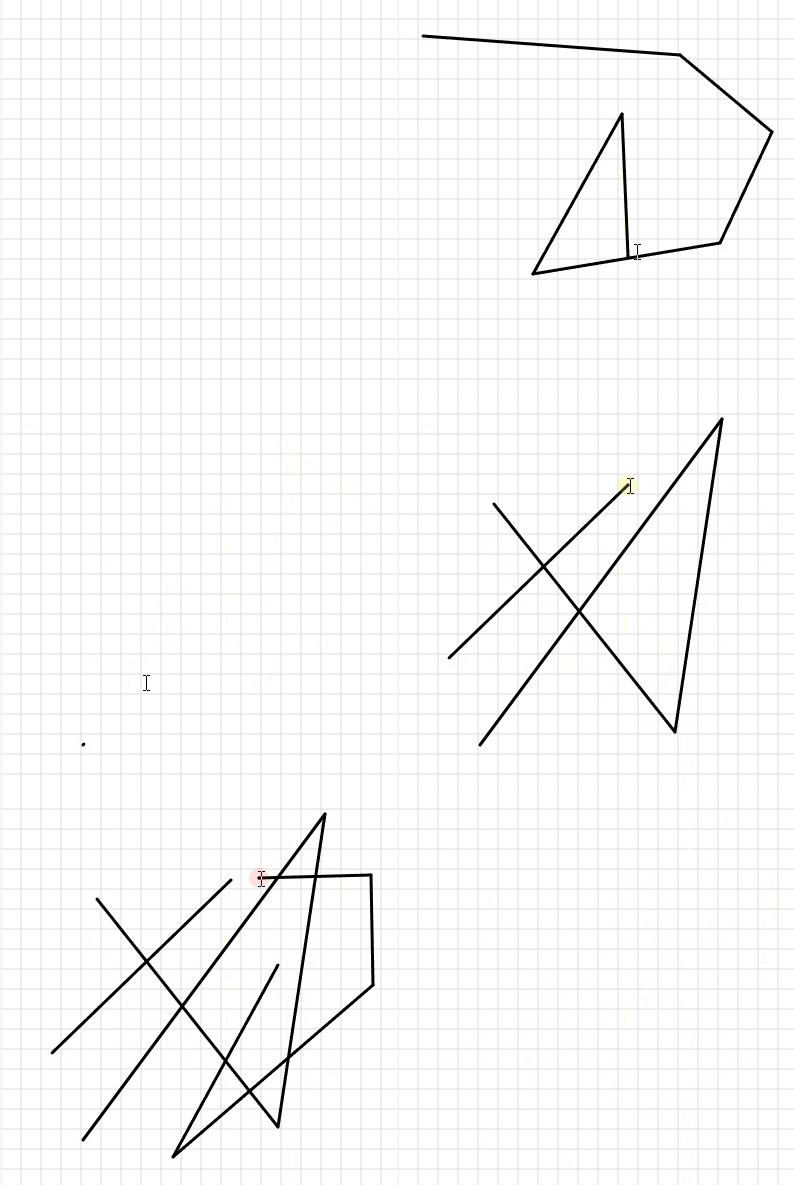
練習問題6-5-4 を改造し、C キー を押したら点と線を すべて消す プログラムを作りなさい。
6-5-5 では keyPressed を追加し、C キーですべて消せるようにします。配列を空にし、isDrawing も false に戻しなさい。
6-5-4 と同じ部分は省略しています。
let canvas;
let pointX = [];
let pointY = [];
let isDrawing = false;

function setup() {
  canvas = createCanvas(400, 400);
  canvas.elt.addEventListener("contextmenu", function (e) {e.preventDefault();});
}

function draw() {
  background(255);
  drawGrid();
  drawPaths();
  drawPreview();
}

function drawGrid() {
  stroke(220);
  strokeWeight(1);
  for(let x=0; x<width; x+=20){
    line(x, 0, x, height)
  }
  for(let y=0; y<height; y+=20){
    line(0, y, width, y)
  }
}

function drawPaths() {
  stroke(0);
  strokeWeight(3);
  for (let i = 0; i < pointX.length - 1; i++) {
    if (pointX[i+1]!==-1&&pointX[i]!==-1) {
        line(pointX[i], pointY[i], pointX[i + 1], pointY[i + 1]);
    }
  }
}

function drawPreview() {
  if(isDrawing){
    if(pointX.length>=1){
      line(pointX[pointX.length-1], pointY[pointY.length-1], mouseX,mouseY)
    }
  }
}

function mousePressed() {
  if (mouseButton === LEFT) {
    pointX.push(mouseX);
    pointY.push(mouseY);
    isDrawing = true
  } else if (mouseButton === RIGHT) {
    pointX.push(-1)
    pointY.push(-1)
    isDrawing = false;
  }
}

function keyPressed(){
  if(key==="c")
  pointX = []
  pointY = []
  isDrawing = false
}
先ほどまでの課題はものすごく難しかったので、こちらも難しいかと思ったのですが、結構すぐにできて驚きました。
練習問題6-5-6
いよいよ 震える文字 の仕上げです。
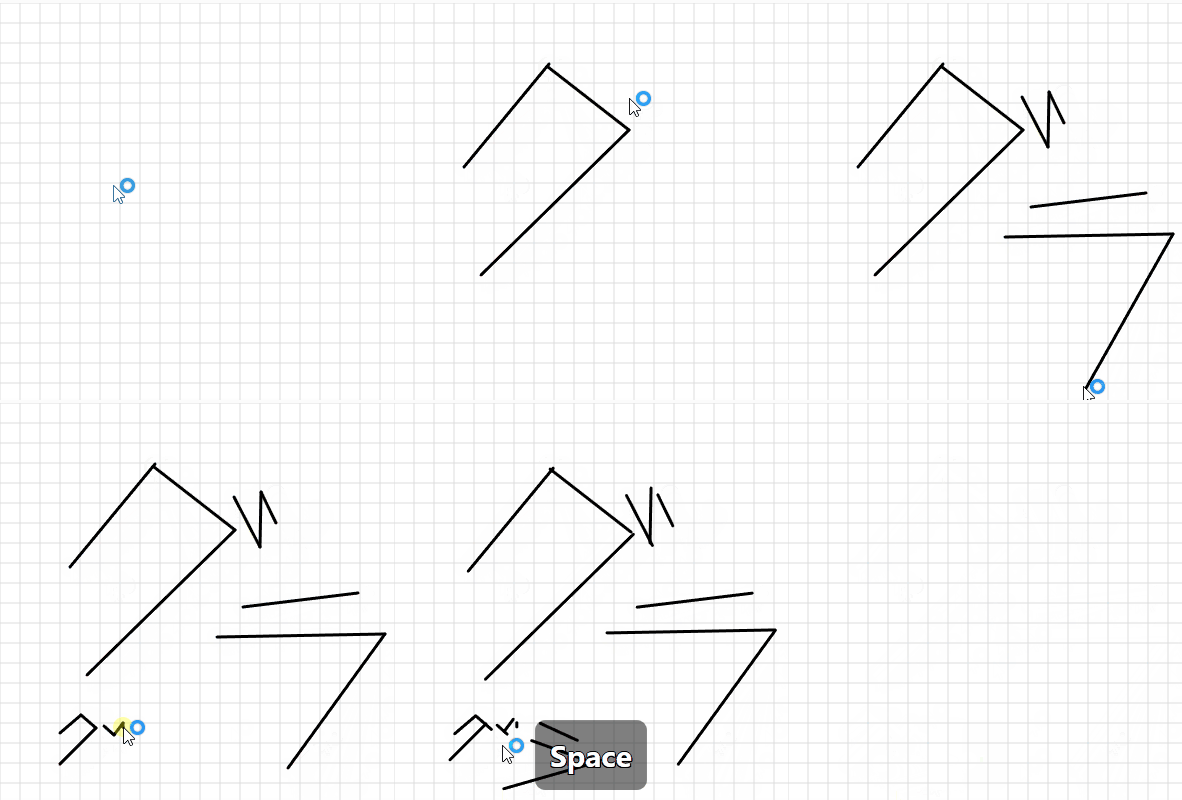
6-5-6 では shakeLine 関数を追加し、line を自作関数 shakeLine に置き換えます。shakeLine の中では random を使用して、毎回座標を少しだけずらして、線をブルブル震えさせます。ボカロのミュージックビデオのような文字演出にも使われるテクニックです。
let canvas;
let pointX = [];
let pointY = [];
let isDrawing = false;
let isShaking = false;

function setup() {
  canvas = createCanvas(400, 400);
  canvas.elt.addEventListener("contextmenu", function (e) {e.preventDefault();});
}

function draw() {
  background(255);
  drawGrid();
  drawPaths();
  drawPreview();
}

function drawGrid() {
  stroke(220);
  strokeWeight(1);
  for(let x=0; x<width; x+=20){
    line(x, 0, x, height)
  }
  for(let y=0; y<height; y+=20){
    line(0, y, width, y)
  }
}

function drawPaths() {
  stroke(0);
  strokeWeight(3);
  for (let i = 0; i < pointX.length - 1; i++) {
    if (pointX[i+1]!==-1&&pointX[i]!==-1) {
        shakeLine(pointX[i], pointY[i], pointX[i + 1], pointY[i + 1]);
    }
  }
}

function drawPreview() {
  if(isDrawing){
    if(pointX.length>=1){
      line(pointX[pointX.length-1], pointY[pointY.length-1], mouseX,mouseY)
    }
  }
}

function mousePressed() {
  if (mouseButton === LEFT) {
    pointX.push(mouseX);
    pointY.push(mouseY);
    isDrawing = true
  } else if (mouseButton === RIGHT) {
    pointX.push(-1)
    pointY.push(-1)
    isDrawing = false;
  }
}

function keyPressed(){
  if (key === "c" || key === "C") {
  pointX = []
  pointY = []
  isDrawing = false
  }
  if(key === " "&&!isShaking){
    isShaking = true
  }else if(key===" "){
    isShaking = false
  }
}

function shakeLine(x1, y1, x2, y2) {
  let r = random(-5, 5)
  if(isShaking){
    line(x1+r, y1+r, x2+r, y2+r)
  }else{
    line(x1, y1, x2, y2)
  }
}
練習問題6-5-7
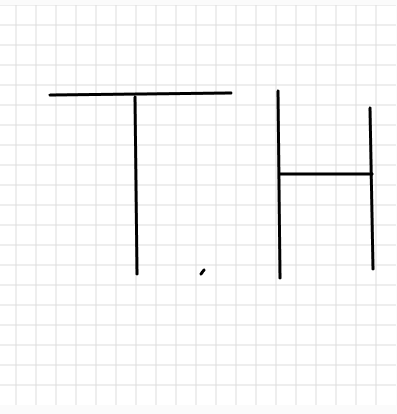
練習問題6-5-6 のプログラムを使い、自分の イニシャル(名前の頭文字)を直線で描いてみなさい。
完成したら、次の問いに答え、レポートに書いて先生に確認してもらいなさい。
- 線を切るために、右クリックは何回使いましたか?
- 切れ目のしるし(
-1)を入れないと、どんな問題が起きますか? drawGridやdrawPathsのように関数に分けると、drawのどこが楽になりますか?shakeLine関数があると、プログラムのどこが楽になりますか?
Q 線を切るために、右クリックは何回使いましたか?
A イニシャルの事ですよね?点も描いたので6回だと思います。
Q 切れ目のしるし(-1)を入れないと、どんな問題が起きますか?
A 使わなければどうなるかということならば、線と線を切り離すことができなくなって、自由度が低下してしまいます。
Q drawGrid や drawPaths のように関数に分けると、draw のどこが楽になりますか?
A drawの中身がとても見やすくなり、プログラムを変更するときなどにも見つけやすいと思います。
Q shakeLine 関数があると、プログラムのどこが楽になりますか?
A もともとの線を基準に新たなifなどでさらに応用がしやすくなったと思います。