出力設定の間違い
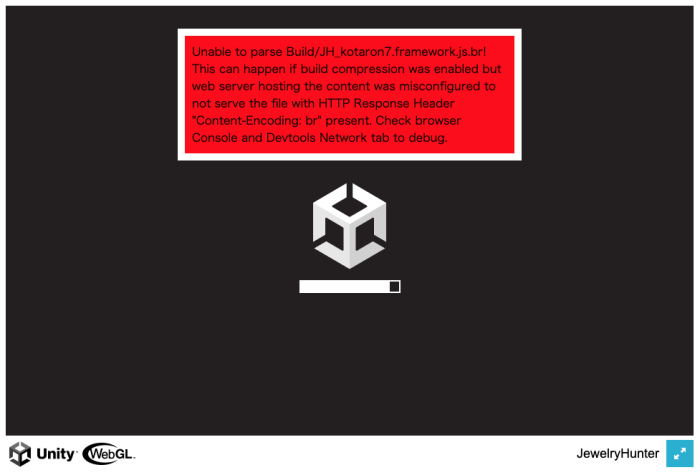
下記のエラーが出た場合は、出力設定の`Decompression Fallback`が外れているので、チェックを入れること!
下記の公式ドキュメントを参考にすること。
https://docs.unity3d.com/ja/2021.2/Manual/webgl-deploying.html#content_encoding_header
Unable to parse Build/JH_hogehoge.framework.js.br! This can happen if build compression was enabled but web server hosting the content was misconfigured to not serve the file with HTTP Response Header “Content-Encoding: br” present. Check browser Console and Devtools Network tab to debug.
WebGL2ではなくWebGL1にしたい
- 「WebGL Settings」(ゴミ箱のようなアイコン) をクリック
- ウィンドウの中で「Other Settings」のグループを展開する。
- 「Auto Graphics API 」にチェックが入っているはずなので外す。
- 「Graphics APIs」 のリストに 「WebGL 1.0」 を追加して「WebGL 2.0」 を削除する。
この設定を行うと、セッティング画面に黄色い警告文章が2箇所ほど表示される。
- Color Spaceを「Linear」→「Gamma」
- LightmapEncodingを「High Quality」→「Normal Quality」
として、ビルドし直すとWebGL1になり、古い環境(低スペック)でも動かすことができる。