2026年8月19日
名前
茅野壮甫
自分で作った図形(コードと画像)
✅ 練習問題 6-1-1
function setup() {
  createCanvas(400, 400);
}

function draw() {
  background(234, 244, 255);
  fill(180, 220, 255);
  noStroke();

  circle(200, 200, 200);
}
📷 実行結果

✅ 練習問題 6-1-2
function setup() {
  createCanvas(400, 400);
}

function draw() {
  background(234, 244, 255);
  fill(180, 220, 255);
  noStroke();

  circle(frameCount, 200, 80);
}
📷 実行結果

✅ 練習問題 6-1-3
function setup() {
  createCanvas(400, 400);
  background(234, 244, 255);
  fill(180, 220, 255);
  noStroke();

  for (let i = 0; i < 100; i++) {
    circle(i * 4, 200, 20);
  }
}
📷 実行結果

1,時間をかけて動かず円が重なって長方形みたいになった。
2,for文と繰り返しの見え方は違う。
3,アニメーションを作るときにdrawが必要なのはdrawの場合はだんだんと繰り返すからアニメーションのようにみえるけどfor文のときは一気に繰り返して結果がすべて画面に出ているからアニメーションみたいにすることができない。
✅ 練習問題 6-1-4
function setup() {
  createCanvas(400, 400);
}

function draw() {
  background(234, 244, 255);
  fill(180, 220, 255);
  noStroke();

  circle(frameCount % width, 200, 80);

}
📷 実行結果

✅ 練習問題 6-1-5
let speed = 3;

function setup() {
  createCanvas(400, 400);
}

function draw() {
  background(234, 244, 255);
  stroke(80, 160, 255);
  noFill();
  circle(frameCount*speed%width, 200, 80);
}
📷 実行結果

✅ 練習問題 6-1-6

✅ 練習問題 6-1-7
let speed = 3;

function setup() {
  createCanvas(400, 400);
}

function draw() {
  background(234, 244, 255);
  stroke(80, 160, 255);
  noFill();
  circle(frameCount * speed % width,frameCount * speed %height, 80);
}
📷 実行結果

✅ 練習問題 6-1-8
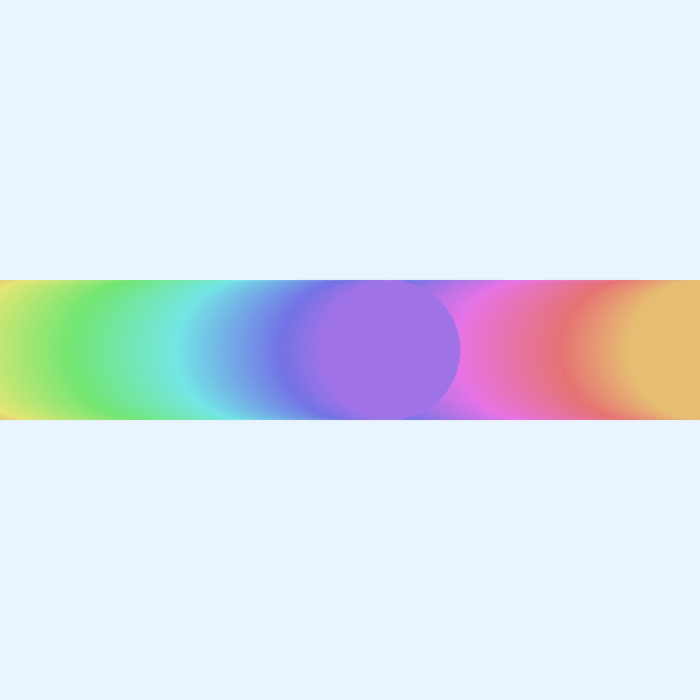
function setup() {
  createCanvas(400, 400);
  colorMode(RGB);
  background(234, 244, 255);
}

function draw() {
  colorMode(HSB);
  let a = frameCount % 360;
  fill(a, 50, 90);
  noStroke();

  let x = frameCount % width;
  circle(x, 200, 80);
}
📷 実行結果
✅ 練習問題 6-1-9
framecountがアニメーションで役に立つのはフレーム毎に値が大きくなっていくからそれによってアニメーションの滑らかな動きを表現することができるから。
まとめ・感想
drawとframecountを使うことでp5jsでもアニメーションを表現することができる。